
Fabrication Station equipment
FastSpotter
resistance welder.
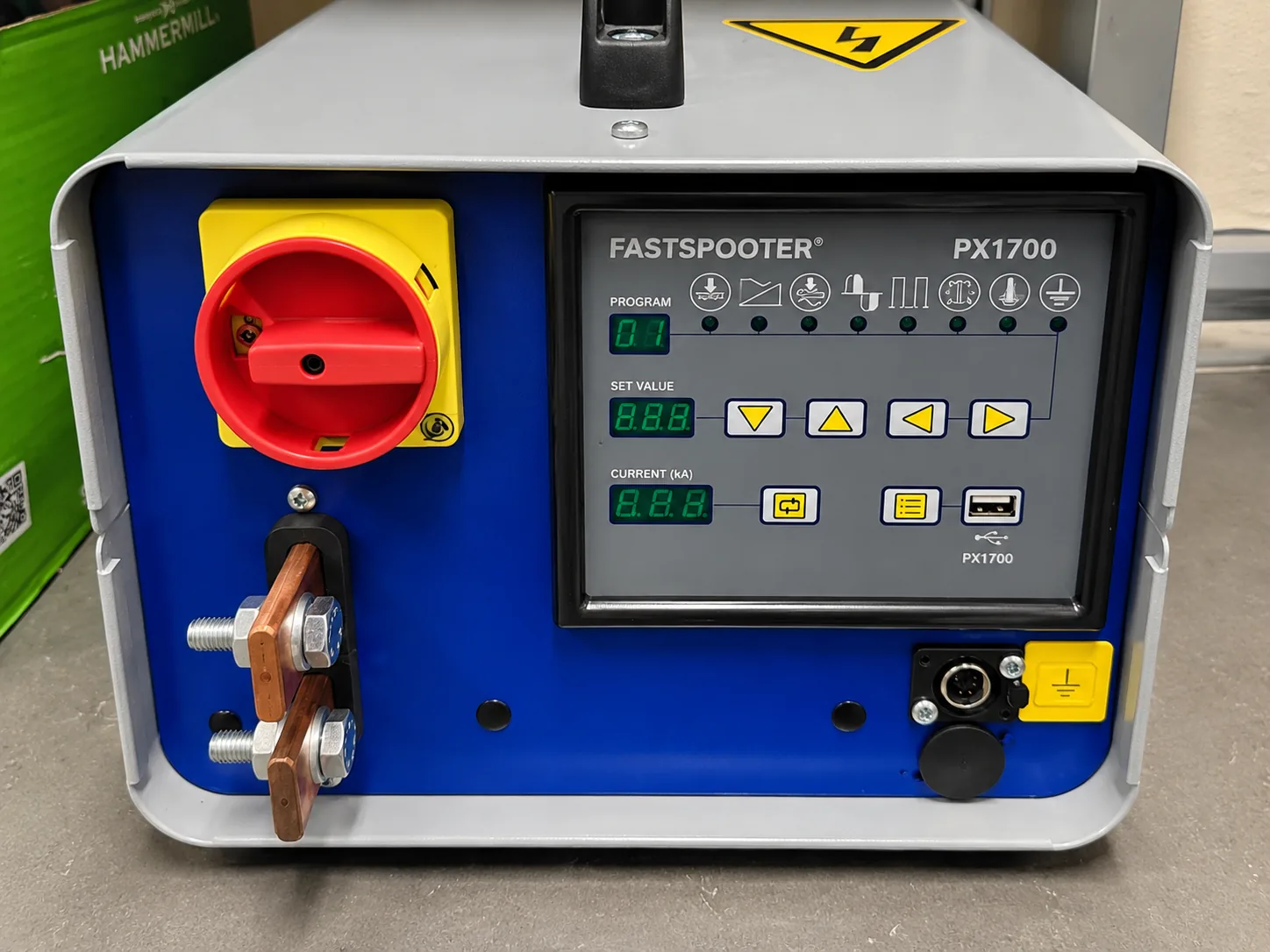
The FastSpotter uses electrical resistance to join thin sheets from one side. The workshop unit includes a hand-held electrode, work return clamp and PX1700ECO controller.
Training and safety
- Complete the Fabrication Station FastSpotter training before use.
- At least one other person must be present in the workshop when you use the FastSpotter.
- Keep hands clear of electrodes and clamping points.
- Do not touch electrodes or work immediately after welding.
- Keep cables away from the body and never touch live terminals.
- Ask about pacemakers or other implanted devices before approaching the equipment.
Set up the work
- Place the unit on a level, dry surface with clear access to isolation controls.
- Inspect cables, electrode, hand tool and return clamp.
- Prepare clean contact areas on the sheets.
- Attach the work return clamp firmly.
- Configure the controller only using the program demonstrated for the material.
- Test the setup on scrap from the same material.
Basic workflow
- Check the work area, ventilation and emergency access.
- Confirm the selected program with the technician.
- Position the sheets and restrain them safely.
- Place the electrode on the intended weld point.
- Keep hands clear and start the programmed cycle.
- Allow the squeeze, weld and hold sequence to finish.
- Release the tool, allow cooling and inspect the weld.
- Clean the electrode only using the demonstrated isolation procedure.
Documents
Common problems
Weak weld
Check clean contact, return-clamp position and the taught current program. Do not improvise settings.
Burn-through
Stop. The current, weld time or material combination needs review.
Electrode build-up
Isolate the machine and use only the cleaning method shown in training.